
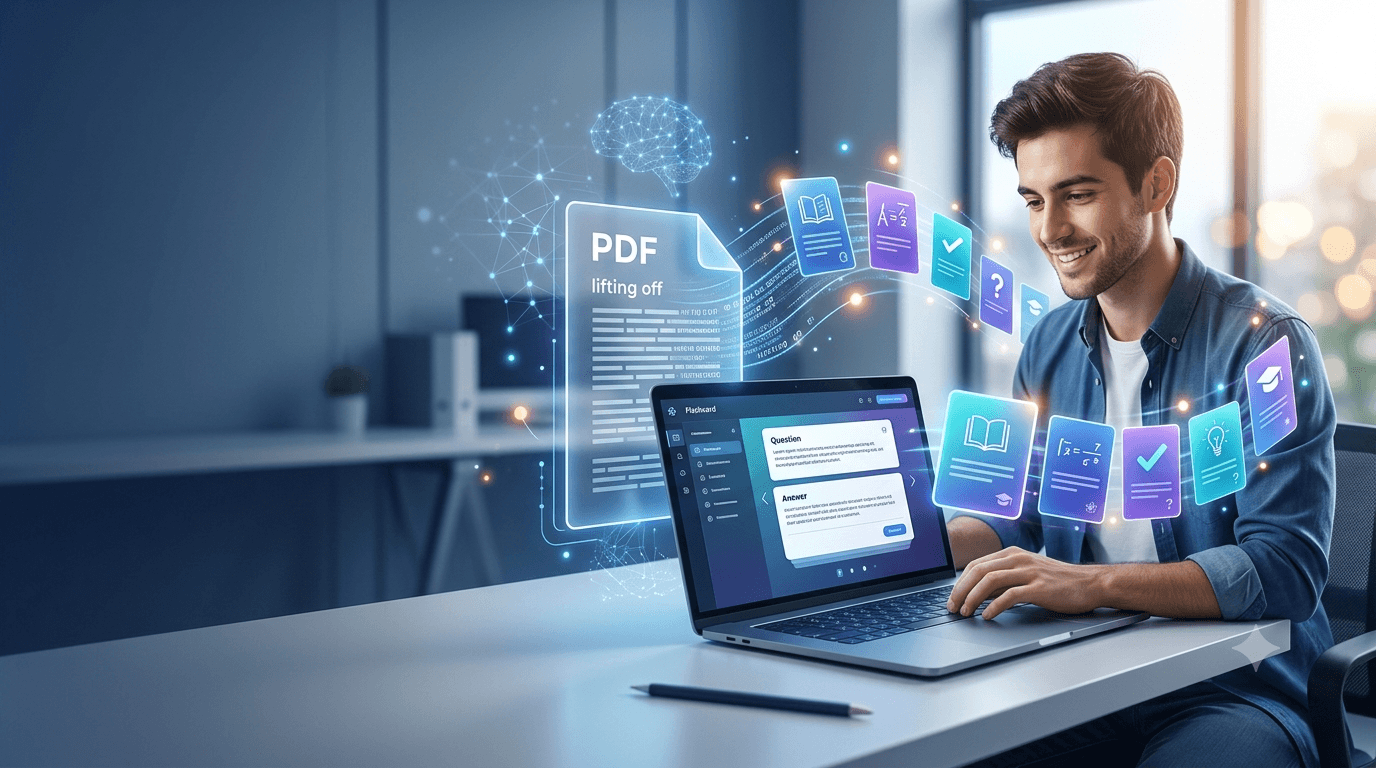
Studying from a long PDF can feel like trying to drink water from a fire hose. You have dozens, sometimes hundreds, of pages packed with definitions, concepts, formulas, dates, examples, and details, but turning all of that information into useful study material takes time. That is exactly where AI-powered flashcard tools can help. Instead of manually reading every page and writing questions and answers one by one, you can upload a document and let an AI system identify important information and convert it into study cards. The Best AI Flashcard Generators From PDF can save hours of preparation while giving you a more structured way to review difficult material.
This is especially useful for students preparing for exams, university courses, professional certifications, language learning, medical education, and technical subjects. If you’re exploring other ways AI can simplify your academic workload, you can also check out these best AI tools for students for additional study, writing, research, and productivity resources.
. A good tool does more than simply copy sentences from a document. It should understand context, identify important ideas, create meaningful questions, provide accurate answers, and ideally support techniques such as spaced repetition. Free options can be surprisingly capable, although their upload limits, number of generated cards, AI models, and study features can vary. In this guide, we will compare popular options, explain what to look for, discuss their strengths and weaknesses, and show you how to get better results from any PDF-to-flashcard workflow.
What Is an AI PDF Flashcard Generator?
An AI PDF flashcard generator is a study application that uses artificial intelligence to transform information inside a PDF into question-and-answer cards. Traditionally, creating flashcards required a student to read a textbook or lecture handout, identify important information, and manually convert that information into prompts and answers. AI changes that workflow by performing much of the initial organization automatically. Depending on the platform, you may upload a textbook chapter, lecture notes, research paper, presentation converted to PDF, or study guide and then ask the system to generate flashcards from the material.
The important distinction is that AI flashcard generation is not simply a copy-and-paste process. A useful system needs to determine which information is actually worth remembering. For example, if a biology PDF explains cellular respiration, the tool might create questions about glycolysis, ATP production, the Krebs cycle, electron transport, and the role of oxygen. A weaker system may simply extract random sentences, producing cards that technically contain correct information but are frustrating to study. The quality of the underlying AI, document processing, and question-generation process therefore matters just as much as the number of cards a platform can produce.
How AI Turns PDF Content Into Flashcards
The process generally follows a few behind-the-scenes stages. First, the platform processes the uploaded PDF and extracts its text, headings, tables, and sometimes other relevant information. If the PDF is scanned rather than digitally generated, optical character recognition may be necessary before the AI can understand the content. The system then analyzes the extracted material and identifies concepts, relationships, definitions, facts, and potentially testable information.
After that, the AI generates prompts and answers based on those concepts. Some platforms let you select the difficulty or number of cards, while others automatically determine what seems important. More sophisticated services may also use the generated cards with adaptive quizzes or spaced-repetition systems. This creates a workflow that looks something like PDF → content extraction → concept identification → question generation → flashcards → review.
The biggest advantage is speed, but speed should not be confused with perfect accuracy. AI can misunderstand ambiguous sentences, misread tables, oversimplify complicated concepts, or generate a question whose answer is incomplete. That means generated flashcards should be treated as a powerful first draft rather than an unquestionable authority. For high-stakes subjects, spending a few minutes checking the cards against the original PDF can prevent small AI mistakes from becoming memorization mistakes.
Why Use AI to Create Flashcards From PDFs?
The obvious reason is time. Imagine you have a 120-page lecture packet and an examination in three days. Manually turning the entire document into flashcards could consume an entire evening or longer, especially if you are trying to make cards that test understanding instead of simply copying definitions. AI can perform the first pass in minutes, allowing you to spend your time studying rather than formatting. That difference becomes even more significant when you have multiple courses and several documents to process.
There is also a cognitive benefit to converting passive reading material into questions. Reading a PDF from beginning to end can create the illusion that you understand the material because the information feels familiar. Flashcards force you to retrieve information from memory. That retrieval process is central to effective learning because you are practicing the exact skill required during many examinations: recalling information without having the answer directly in front of you.
Another advantage is consistency. Human-created flashcards often vary wildly in quality because we make them when we are tired, rushed, or unsure what information matters. An AI tool can provide a consistent starting structure across hundreds of pages. You can then edit the weak cards, remove duplicates, and add your own questions where deeper understanding is required.
Benefits for Students and Professionals
Students are probably the most obvious users, but AI-generated PDF flashcards are useful well beyond traditional education. Someone preparing for a professional certification can turn a study manual into a preliminary question bank. A medical student can process lecture notes into terminology and concept cards. A language learner can extract vocabulary from a reading document. A professional completing mandatory training can use cards to review policies and procedures.
There is also a useful psychological advantage: reducing the friction between collecting study material and actually studying it. When the preparation stage becomes too complicated, procrastination becomes easier. You tell yourself that you will study after making the perfect flashcard deck, organizing folders, formatting cards, and highlighting every important section. Suddenly, an hour of preparation has replaced an hour of learning. AI can shorten that setup phase so that the majority of your effort goes toward retrieval and review.
Still, the best results come from combining automation with human judgment. Let AI handle repetitive work, but decide what deserves your attention. A generated deck should support your learning strategy, not completely replace it.
Best AI Flashcard Generators From PDF: Quick Comparison
The market for AI-powered study tools changes quickly, and individual features, limits, and pricing can change as companies update their products. Rather than treating any single platform as permanently “number one,” it is more useful to compare them according to what they are designed to do. Some tools focus heavily on AI generation, while others combine flashcards with notes, quizzes, tutoring, or spaced repetition.
| Tool | PDF/Document Study | AI Flashcards | Free Option | Best For |
|---|---|---|---|---|
| Quizlet | Yes, depending on current features | Yes | Limited/free features | General studying |
| Knowt | Yes | Yes | Strong free offering | Students seeking free study tools |
| StudyFetch | Yes | Yes | Limited access | AI-powered study workflows |
| RemNote | Yes | Yes | Free plan available | Spaced repetition and knowledge management |
| Gizmo | Document-based study options | Yes | Free features available | Interactive AI study |
| Revisely | Yes | Yes | Free/limited options | Quick study-material generation |
Among the Best AI Flashcard Generators From PDF, there is no universal winner because your ideal choice depends on your priorities. If you want a familiar study ecosystem, a platform such as Quizlet may make sense. If avoiding subscription costs is your priority, Knowt deserves attention. If you want an integrated AI study assistant, StudyFetch may be more attractive. RemNote stands out when long-term retention and knowledge organization are central to your workflow.
What to Look for in a Free Tool
Free access sounds attractive, but “free” can mean very different things. Some services provide unlimited studying but restrict AI generation. Others allow a small number of document uploads or generated cards each day. A platform might also let you create cards without charge while placing advanced AI features behind a subscription.
Look at several factors before choosing a tool. Check whether it accepts the type of PDF you actually use, whether scanned documents are supported, how many pages or files you can upload, whether the generated cards can be edited, and whether you can export or retain your material. Also consider whether the platform supports spaced repetition, quizzes, explanations, images, or other features that match your learning style.
Privacy deserves attention too. If your PDF contains confidential work documents, proprietary material, personal information, or restricted academic content, think carefully before uploading it to any third-party service. Read the provider’s current privacy policy and terms rather than assuming that every AI study application handles documents in the same way.
1. Quizlet
Quizlet is one of the most recognizable names in digital flashcards, which gives it an advantage for people who want a mature study ecosystem rather than a single-purpose PDF converter. Its platform has expanded beyond traditional manually created flashcards and has incorporated AI-assisted study capabilities and content-generation features. Depending on the current product configuration and account type, users may be able to transform existing learning material into different forms of study content. This makes Quizlet worth considering when you want flashcards alongside quizzes, study modes, and a large existing community of educational content.
One of Quizlet’s strongest qualities is usability. The interface is designed for students rather than technically sophisticated AI users, so getting started is relatively straightforward. If you already have a Quizlet account or have used its flashcard system before, the learning curve is minimal. You can also find existing study sets, which can occasionally save time when the subject is common.
The limitation is that users should not assume every AI feature is unlimited under a free account. Product features and subscription boundaries can change, so check the current plan details before building your entire study workflow around a specific feature. If your goal is simply to turn a handful of PDF chapters into cards, Quizlet may be convenient. If your priority is processing large quantities of documents for free, you should compare its limits with more aggressively free-focused alternatives.
2. Knowt
Knowt has become particularly interesting for students looking for an alternative to traditional flashcard platforms. The service combines flashcards with AI-powered learning features and supports studying from different types of educational material. For users searching for Best AI Flashcard Generators From PDF options that emphasize accessibility, Knowt is a strong candidate to investigate. Its focus is not simply on storing cards; it aims to make study material easier to transform and review.
A major attraction is the range of study workflows available within one platform. Instead of creating a deck and stopping there, users can potentially turn material into questions and then practice with different modes. This is useful because generating flashcards is only the beginning. A beautiful deck sitting untouched in your account does not improve exam performance. What matters is whether the platform helps you repeatedly retrieve and reinforce the information.
Knowt can be particularly appealing for students who do not want to immediately commit to a paid subscription. However, free features and usage policies can change, so always verify the current limitations. When evaluating it, pay attention not only to how many cards AI can generate but also to whether the quality of the questions is good enough for your subject. A tool that creates 500 mediocre cards can be less useful than one that creates 100 excellent cards.
3. StudyFetch
StudyFetch takes a broader approach to AI-assisted learning. Rather than positioning itself solely as a flashcard generator, it provides a collection of tools designed around study materials. That can make it attractive if your PDF is only one part of a larger learning workflow. Instead of jumping between several applications for flashcards, quizzes, summaries, and explanations, you can potentially keep much of the process in one environment.
For PDF-heavy studying, this approach can be valuable. Imagine uploading lecture slides, reading material, or course notes and then using the resulting information to generate flashcards and practice questions. The AI can help turn static material into something interactive. That is particularly helpful when the original PDF was designed for reading rather than revision and contains long paragraphs that are difficult to review efficiently.
The biggest consideration is access. AI study platforms commonly offer free trials or limited free usage while reserving heavier generation and advanced capabilities for paid plans. If you have only a few documents, a free allowance may be sufficient. If you plan to process an entire semester of material, compare the usage limits carefully. StudyFetch is most compelling for people who want an AI study assistant experience, rather than merely a basic PDF-to-flashcard converter.
4. RemNote
RemNote is especially interesting for learners who think beyond the next exam. Its philosophy combines notes, knowledge management, flashcards, and spaced repetition. That means information does not have to exist as an isolated deck; it can become part of a broader knowledge system. For students who want to build long-term understanding, that distinction can be significant.
When you import or work from substantial study material, RemNote’s approach can help you connect concepts instead of memorizing disconnected questions. Consider a medical student learning about the cardiovascular system. Rather than having one card asking for a definition and another asking for a fact, a structured knowledge system can connect anatomy, physiology, pathology, and terminology. Those relationships can make later review more meaningful.
The platform also has a free tier, although AI functionality and other advanced capabilities may be subject to current plan restrictions. Its interface can take more time to learn than a simple flashcard app because it is trying to solve a larger problem. If you only want to upload a PDF and instantly receive a basic deck, that additional structure might feel unnecessary. If you want an organized personal knowledge base with serious spaced-repetition capabilities, however, RemNote deserves a closer look.
5. Gizmo
Gizmo approaches studying with an emphasis on interactive learning and AI-assisted content generation. It is designed to make studying feel less like repeatedly staring at a static page and more like actively engaging with material. That makes it appealing for learners who lose concentration when their revision routine becomes monotonous.
For PDF-based studying, the attraction is the ability to transform source material into interactive revision resources. Instead of spending hours manually deciding which facts belong on cards, AI can provide an initial collection of questions that you can review and refine. The platform’s gamified or interactive elements may also help learners who respond well to progress systems and short study sessions.
As with any AI study platform, you should verify the current free-plan allowances before relying on it for a large project. Free accounts can be subject to limits on AI generations, document processing, or advanced features. Quality is another factor to evaluate. Try a representative section of your PDF first, particularly if it contains formulas, tables, diagrams, or specialized terminology. If the resulting cards accurately reflect the source material, the tool can become a useful part of your study routine.
6. Revisely
Revisely is another option for learners who want to transform educational material into revision resources without building every card manually. Its appeal comes from simplicity. Rather than treating flashcards as an isolated technical project, the platform focuses on converting study content into resources that can be reviewed more efficiently.
This can be useful when your source document is already reasonably well organized. A clean lecture handout with clear headings and definitions gives an AI system strong signals about what information matters. The resulting cards are therefore more likely to reflect the structure of the material. Messy documents can produce messier results, especially when the PDF contains unusual layouts, handwritten annotations, complex tables, or scanned pages.
Revisely should be evaluated according to the same criteria as the other tools: document compatibility, generation limits, card quality, editing options, export capabilities, and privacy. Its usefulness will depend heavily on your particular workflow. If you want something relatively straightforward and your documents are well formatted, it can be a practical addition to your list of options.
How to Choose the Right PDF Flashcard Generator
Choosing a tool becomes much easier when you stop asking, “Which AI flashcard generator is the best?” and start asking, “Which one fits the way I study?” A college student processing lecture PDFs every week has different needs from a professional studying for a certification exam or a researcher reviewing technical documents. The number of cards is only one part of the equation. Accuracy, editing, review quality, and convenience often matter more.
Start with the source material. If your PDFs are primarily text-based, most modern AI study platforms should have a reasonable starting point. If they contain scanned pages, handwritten notes, equations, diagrams, or complicated tables, test the system before uploading everything. Document parsing is where many apparently impressive tools can struggle. A generator cannot create a good card from information it failed to read correctly.
Next, consider your preferred learning method. If you want simple question-and-answer practice, a traditional flashcard application may be enough. If you want adaptive quizzes, AI explanations, tutoring, summaries, and spaced repetition, choose a broader study platform. Finally, investigate free limits, privacy policies, export functionality, and account requirements. The right tool should reduce friction rather than introduce another complicated system you eventually stop using.
How to Make Better Flashcards From a PDF
The quality of your flashcards depends partly on the quality of your instructions. Simply uploading a 300-page PDF and asking for “flashcards” can produce an enormous deck filled with repetitive or low-value questions. AI works better when you provide boundaries. Tell it what chapter to focus on, how difficult the cards should be, what concepts matter most, and what type of questions you want.
For example, instead of generating generic cards from an entire textbook, focus on a specific exam topic. Ask for conceptual questions, definition cards, application-based questions, or a mixture of formats. You can also request that the AI avoid trivial facts and prioritize information likely to test understanding. After generation, review the cards and remove duplicates.
A useful workflow is generate, inspect, edit, study, and regenerate. First, let AI create the initial deck. Second, quickly inspect the cards for incorrect answers or confusing wording. Third, edit cards that are too long or too easy. Fourth, study them using active recall and spaced repetition. Finally, if you discover gaps, return to the PDF and generate additional cards specifically targeting those weak areas.
Do not make every flashcard a miniature textbook. A good card usually tests one clear idea. If the answer requires an entire page of explanation, divide the concept into smaller pieces or create a separate application question. The goal is not to reproduce the PDF inside your flashcard app. The goal is to create prompts that force your brain to retrieve useful information.
Are Free AI Flashcard Generators Worth Using?
For many learners, absolutely. A free AI flashcard generator can eliminate one of the most tedious parts of studying: converting source material into review questions. Even if the free version has limitations, it may provide enough functionality for individual chapters, smaller courses, or occasional exam preparation. The important thing is to judge the tool based on the value it provides rather than assuming paid automatically means better.
There is also a hidden advantage to starting with a free option: you can discover what features you actually need. Maybe you thought you needed an advanced AI tutor, but after two weeks you realize that simple flashcards and spaced repetition are enough. Or perhaps you discover that you process hundreds of pages and quickly hit every free limit imaginable. Testing the workflow first gives you useful information before spending money.
The biggest danger is treating free AI-generated cards as automatically accurate. Always verify important information, particularly in medicine, law, science, finance, engineering, and other subjects where subtle inaccuracies can matter. AI should accelerate your preparation, not remove your responsibility to check what you are learning.
A sensible strategy is to begin with a free tool, test it on one representative PDF, and compare the output against the original material. If the cards are accurate and the workflow saves you meaningful time, continue using it. If the output requires extensive correction, try another platform before committing to a larger study project.
Best AI Flashcard Generators From PDF for Different Needs
Different learners will naturally prefer different tools. There is no reason to force yourself into one platform simply because it happens to be popular. The Best AI Flashcard Generators From PDF depend on whether your priority is free access, long-term retention, an integrated AI tutor, or a familiar flashcard ecosystem.
For a student who wants a broad, recognizable platform, Quizlet is an obvious option to investigate. For learners focused strongly on free AI-powered study capabilities, Knowt may be especially appealing. StudyFetch is worth considering if you want your PDFs to become part of a broader AI study environment. RemNote is a particularly good candidate for learners who want notes, flashcards, and spaced repetition to work together.
Gizmo can appeal to people who prefer a more interactive approach, while Revisely is worth testing if you want a straightforward way to turn source material into revision resources. Your decision should also account for the type of content you study. A language learner may care about vocabulary and examples, while an engineering student may care much more about formulas and conceptual relationships.
| Student Need | Tool to Consider | Why |
|---|---|---|
| Familiar flashcard ecosystem | Quizlet | Established study environment |
| Free-focused studying | Knowt | Broad free study functionality |
| AI study assistant | StudyFetch | Multiple AI study features |
| Long-term retention | RemNote | Strong knowledge and spaced-repetition workflow |
| Interactive studying | Gizmo | Engaging study approach |
| Simple revision workflow | Revisely | Easy content transformation |
Remember that these recommendations are starting points rather than permanent rankings. AI products evolve quickly. A feature available today can change tomorrow, while a newer competitor can introduce a better workflow next month. Always check the current product page and free-plan conditions before making a final decision.
Common Mistakes to Avoid
One of the biggest mistakes is assuming that more flashcards automatically mean better studying. A deck containing 1,000 cards can become so overwhelming that you stop reviewing it. If AI generates an excessive number of cards, be ruthless about quality control. Keep cards that test meaningful concepts and remove repetitive, trivial, or poorly worded ones.
Another mistake is using only recognition-based cards. If every question gives you obvious clues or asks you to identify information you just saw, your brain may feel successful without actually practicing recall. Mix straightforward definition questions with conceptual and application-based prompts. For example, instead of asking only “What is photosynthesis?” you might also ask what would happen if a particular stage were disrupted.
Ignoring the source document is another problem. AI generation can occasionally introduce errors, omit important context, or misunderstand a sentence. The risk increases with technical material, poorly formatted PDFs, and scanned documents. Always verify high-value cards against the original material.
Finally, do not confuse making flashcards with studying. Creating the deck is preparation. The learning happens when you repeatedly attempt to retrieve the answers, identify weaknesses, and revisit difficult material over time. Think of AI as the person who prepares the gym equipment. It can make your workout easier to start, but it cannot do the lifting for you.
Conclusion
AI has made it dramatically easier to transform static learning material into active study resources. Instead of manually converting every page of a textbook or lecture PDF into questions, students can use modern AI tools to create an initial flashcard deck in a fraction of the time. The Best AI Flashcard Generators From PDF are not necessarily the platforms that generate the largest number of cards; they are the ones that produce useful, accurate, editable questions while fitting naturally into your study routine.
Quizlet, Knowt, StudyFetch, RemNote, Gizmo, and Revisely all deserve consideration, but each approaches AI-assisted studying somewhat differently. Some prioritize a familiar flashcard ecosystem, others focus on free access, and others attempt to combine flashcards with tutoring, quizzes, notes, and spaced repetition. The best choice depends on your document types, budget, preferred learning method, and the amount of material you need to process.
If you are unsure where to begin, test two or three platforms with the same short section of a PDF. Compare the generated cards for accuracy, relevance, question quality, and ease of editing. Then choose the tool that saves you the most preparation time without sacrificing the quality of your learning material.
Most importantly, treat AI-generated flashcards as a starting point rather than a finished product. Review important answers, remove weak cards, add questions that reflect your instructor’s emphasis, and use active recall consistently. When you combine AI automation with thoughtful studying, a long PDF stops looking like an intimidating wall of text and starts becoming a manageable collection of concepts you can actually master.
FAQs
1. Can AI generate flashcards directly from a PDF?
Yes. Several AI-powered study platforms can process PDF documents and generate flashcards, questions, summaries, or related study materials. The exact process varies between platforms, and some free plans may impose limits on document size, uploads, or AI generations. Text-based PDFs generally provide the easiest input, while scanned or heavily visual documents may require better document-recognition capabilities.
2. What is the best free AI flashcard generator from PDF?
There is no single option that is best for every learner because free features and usage limits change over time. Knowt, Quizlet, RemNote, Gizmo, StudyFetch, and Revisely are all worth comparing. Test your actual PDF with a free option before deciding because the quality of generated cards can vary considerably depending on the document.
3. Are AI-generated flashcards accurate?
AI-generated flashcards can be highly useful, but they are not guaranteed to be accurate. AI may misunderstand context, omit qualifications, misinterpret tables, or generate an incomplete answer. Always check important cards against the original PDF, especially when studying technical or high-stakes subjects.
4. Can I create flashcards from a scanned PDF?
It depends on whether the platform supports OCR, or optical character recognition. A scanned PDF is essentially a collection of images rather than normal selectable text, so the AI first needs to recognize the words. Results can be less reliable when scans are blurry, handwritten, poorly aligned, or contain complex mathematical notation.
5. How can I get better AI flashcards from a PDF?
Give the AI clear instructions and avoid asking it to process enormous amounts of unrelated material at once. Specify the chapter, topic, difficulty, and type of questions you want. After generation, remove duplicates, verify answers, shorten overly complicated cards, and add application questions where appropriate. The best deck is not necessarily the biggest one; it is the one that makes you retrieve the information you actually need to remember.
